Shopify SEO in India starts with the platform, not an app. Shopify’s own Liquid documentation warns that a product shown inside a collection gets a second URL — /collections/handle/products/handle — carrying the same content as /products/handle. That structural duplication, plus tag, filter and sort URLs, is what most Indian D2C stores are paying an app to paper over. Fix the URLs, then decide whether you still need the app.
If you’re doing a few hundred to a few thousand orders a month, you have one developer and roughly one month of their attention. So the real question isn’t “what are the 47 Shopify SEO best practices”. It’s which five things that developer should touch first.
Why does Shopify create duplicate collection URLs?
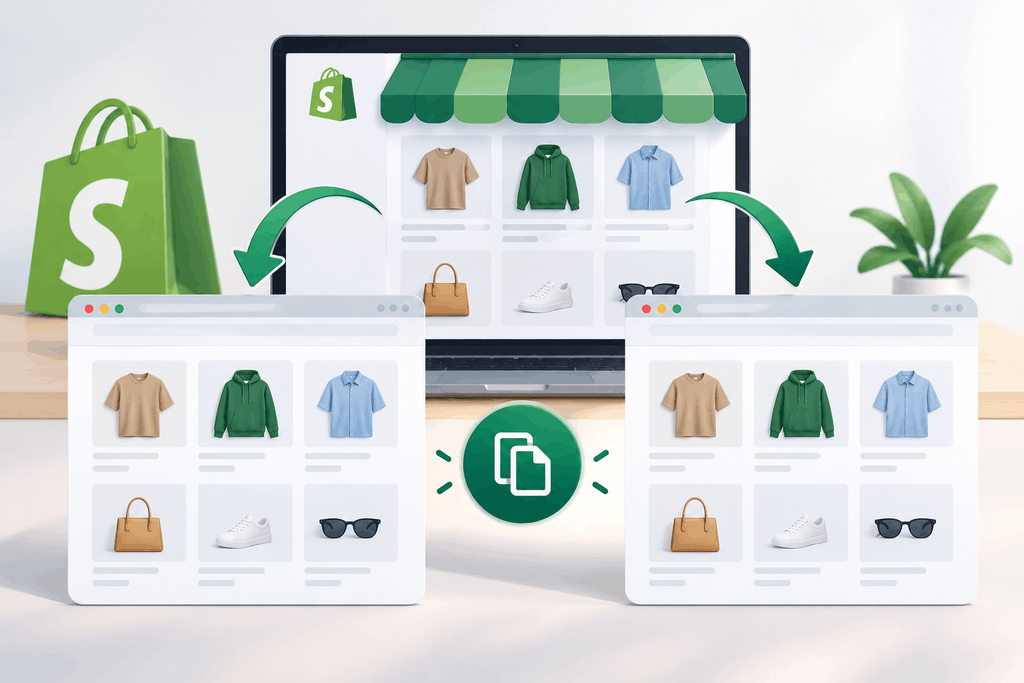
Because the platform is built so a product can live inside a collection’s browsing context, and that context is carried in the URL.
Shopify’s Liquid within filter documentation shows it plainly. Input /products/draught-of-immortality, output /collections/sale-potions/products/draught-of-immortality. Shopify’s own caution on that page: “Because a standard product page and a product page in the context of a collection have the same content on separate URLs, you should consider the SEO implications.”
That’s the vendor telling you the duplicate exists.
Now multiply it. A saree that sits in three collections — New Arrivals, Under ₹2999, Festive — has four possible URLs. Add tag pages, ?sort_by= variants and filter parameters, and a 400-SKU store generates thousands of crawlable paths for 400 products.
Shopify does not leave this unhandled. Its SEO overview says Shopify automatically adds canonical tags to prevent duplicate content appearing in search results, and that sitemap.xml and robots.txt are generated for you. The default robots.txt blocks /cart, /checkout, /search, /admin, /policies/ and filtered collection paths matching /collections/*+*, according to Shopify’s robots.txt.liquid help page.
Because a canonical tag is a hint, not a rule, and because your internal links are a much stronger signal than the canonical. If every product link in your theme points at the collection-scoped URL, you are telling Google that the collection-scoped URL is the one you care about, then telling it in the head that it isn’t. You’ve spent your crawl budget arguing with yourself.
This is the part an SEO app cannot fix for you. Apps write meta tags, generate schema and flag broken links. They do not rewrite the href your theme prints on a product card.
What should you check before you spend a rupee on an SEO app?
- Open any collection page on your store. Right-click a product, copy the link. Does it read /products/x or /collections/y/products/x?
- Open the collection-scoped version. View source, search for rel=”canonical”. Does it point to the clean /products/x?
- Open yourstore.com/robots.txt. Read what’s disallowed.
- Open yourstore.com/sitemap.xml, then the product sitemap inside it. Are the URLs clean?
- In Google Search Console, open Pages, then the “Crawled – currently not indexed” and “Duplicate” reports. Filter for /collections/.
If step 5 is full of collection-scoped product URLs, you have a platform problem. No app on the Shopify store fixes it.
The 12 fixes, in the order I’d do them
One action per row. Numbers 1 to 5 are the month-one block if you only have one developer.
| # | Fix | Where it’s done | Rough dev time |
|---|---|---|---|
| 1 | Find every place your theme prints a product link and check whether it uses the within filter | Theme code: card-product.liquid, product grid and featured-collection sections | 1 hour |
| 2 | Change those links to output the plain /products/handle URL, then republish the theme | Same files | 1–2 hours |
| 3 | Confirm the canonical on a collection-scoped product URL resolves to the clean product URL | View source on a live page | 15 minutes |
| 4 | Replace hard-coded /collections/x/products/y links in menus, blog posts and homepage blocks | Admin → Content → Menus; blog editor; theme sections | 2–3 hours |
| 5 | Decide what /collections/all does: merchandise it properly or keep it out of your internal linking | Admin → Products → Collections; theme nav | 1 hour |
| 6 | Review robots.txt.liquid against your actual filter and sort URLs before adding a single rule | Admin → Online Store → Themes → Edit code | 2 hours |
| 7 | Freeze handles on your top 50 products and top 20 collections; no more casual URL edits | Team process, not code | 30 minutes |
| 8 | Build and import the redirect map for every URL that changed during migration or a rename | Admin → Content → Menus → URL redirects → Import CSV | 3–4 hours |
| 9 | Write unique title tags and meta descriptions for the top 20 collections first, products second | Admin → search engine listing fields | 4–6 hours |
| 10 | Add real copy above and below the grid on those 20 collection pages | Collection description field | 6–8 hours |
| 11 | If you sell outside India, set the market URL structure and leave automatic hreflang on | Admin → Settings → Markets | 2 hours |
| 12 | Verify product structured data renders once, server-side, with the price in INR matching the page | View source; Rich Results Test | 2 hours |
On 1 and 2. Whether your theme uses within depends on the theme, not on Shopify. Older Shopify themes and a lot of Indian agency-built themes do. Don’t assume; check. The fix is small, and it is the highest-leverage hour in this whole list because it changes thousands of links at once.
On 3. Shopify says canonicals are added automatically. Verify it on your own store anyway, because a customised theme can override or drop the canonical in the head. If the collection-scoped URL is self-canonicalising, stop everything else and fix that first.
On 5. /collections/all is a genuine fork in the road. Either it becomes a shop-all page you’ve written copy for and want ranked, or it’s a leftover path your navigation shouldn’t be feeding. Pick one. Leaving it half-linked is what produces a thin page that competes with your real category pages.
On 6. This is where people hurt themselves. Shopify’s help page is blunt: editing robots.txt.liquid is an unsupported customisation, Shopify Support can’t help with edits, and “incorrect use of the feature can result in loss of all traffic.” Note also that the default rules block the older + tag-filter syntax. The Search & Discovery filter parameters your storefront generates may not match that pattern, so read your own URLs before writing a rule.
On 8. Shopify’s URL redirect documentation allows redirects to be created one at a time or imported by CSV, with a limit of 100,000 on standard plans and up to 20,000,000 on Plus. It also notes you can’t redirect protected paths such as /apps, /cart, /orders, or the fixed /products and /collections paths. That last point is the one to internalise: you do not get to redesign Shopify’s URL prefixes. You work with the structure or you work around it.
On 9 and 10. Collections before products, always. Your collection pages are the ones matching “cotton kurti set online” and “ceramic dinner set India”. Product pages match brand-plus-SKU searches that are already yours. If your developer month runs out, it should run out on product meta, not collection copy. Getting those pages to convert once they rank is a separate job — see how to turn store traffic into orders.
On 11. Shopify’s international URLs documentation offers subfolders, subdomains or separate country domains, and says hreflang and meta tags are created automatically for every international domain or subfolder you set up, with an option to turn that off under Online Store → Preferences. For most Indian D2C brands shipping to the UAE, Singapore or the US, subfolders on one domain keep the authority in one place. Leave automatic hreflang on unless someone on your side owns it.
On 12. Shopify says product structured data is implemented automatically. An SEO app that also injects product schema gives you two Product nodes on one page. If you install such an app, check the source and switch one of them off.
So what do you do with one developer and one month?
Week one: items 1, 2, 3 and 4. That’s the theme audit, the link change, the canonical check and the internal link cleanup. It is roughly a day and a half of work and it’s the part nobody else will do for you.
Week two: items 5 and 7, then start 8. Redirect mapping is slow and boring and it is the single biggest cause of traffic loss I see on Indian stores that moved from WooCommerce or Magento to Shopify.
Weeks three and four: items 9 and 10, top 20 collections only. Stop when the month ends.
Items 6, 11 and 12 move to month two unless your Search Console already shows filter URLs eating crawl budget, or you’re already selling internationally.
Now the app question. After those twelve, the things an app genuinely adds are bulk meta editing across hundreds of SKUs, broken-link monitoring, and image compression. Those are real conveniences. They are not a foundation. An app installed before fix number 2 is optimising the wrong URLs faster.
Want Better Shopify SEO in India?
Improve your store’s visibility, attract more customers, and grow organic traffic.
Contact us today. No obligation. Contact us today.What do Indian D2C founders ask about Shopify SEO?
Can I change Shopify’s URL structure to remove /collections/ and /products/?
No. Shopify’s URL redirect documentation lists /products and /collections among fixed Shopify paths you can’t redirect. You can edit the handle after the prefix, and you can control which URL form your theme links to, but the prefixes stay. Plan around them instead of fighting them.
Does Shopify handle duplicate content automatically?
Partly. Shopify’s SEO overview says canonical tags are added automatically to prevent duplicate content appearing in search results. What Shopify does not do is stop your theme from linking to the duplicate path. Its own within filter documentation tells developers to consider the SEO implications, which means the decision sits with you.
Should I noindex my Shopify tag and filter pages?
Check what your store actually generates before deciding. Shopify’s default robots.txt disallows filtered collection paths matching /collections/*+*, along with /cart, /checkout, /search and /admin. Newer storefront filters use different parameters, so open your own robots.txt and compare it with the URLs in your Search Console crawl reports.
Is a Shopify SEO app worth it for an Indian D2C store?
After the structural fixes, an app earns its keep for bulk meta editing and broken-link monitoring at scale. Before those fixes, it mostly adds meta tags to URLs you shouldn’t be promoting, and sometimes a second copy of product schema. Sequence matters more than the app you choose.
What changes for selling in India specifically?
Three things. Your collection pages carry the commercial keywords, because Indian shoppers search category plus price plus city far more than brand plus SKU. Your structured data prices should be in INR and match what the page shows after any market-level rounding. And if you’re also selling on Amazon and Flipkart, your Shopify collection pages need copy those listings don’t have, or you’re competing with marketplaces on identical text.
Where should you start this week?
Right-click a product on your own collection page and read the link.
If it contains /collections/, you’ve found your first ticket, and it’s a theme edit, not a purchase. Run the five-minute check above, take screenshots of your Search Console Pages report before the change, and you’ll have a clean before-and-after in six weeks.
If you’d like someone to run that audit with you and hand your developer a prioritised ticket list, that’s what my ecommerce SEO services cover. If you’d rather see the full picture first, including paid and conversion work, start with what I do for brands.